> ## Documentation Index
> Fetch the complete documentation index at: https://sourcebot-jminnetian-askskills.mintlify.site/llms.txt
> Use this file to discover all available pages before exploring further.
# Members and roles
export const feature_0 = "Role management"
export const verb_0 = undefined
Sourcebot provides different role types to help you control access and permissions across your organization.
| Role | Permission |
| :------- | :-------------------------------------------------------------------------------------------------------------------------------------------------------------------------------------------------------------------------------------------------------------------------------------------------------------------------------------------------------- |
| `Owner` | Owners have full administrative control over all organization-level settings, including user management, access control, billing, and audit logs, in addition to all permissions a member can perform. |
| `Member` | Members have access and to use all standard features, such as code search, ask, mcp, etc., as well as their account settings. Members **cannot access** organization-level administration pages. |
| `Guest` | Guests are users that access Sourcebot without a account when [anonymous access](/docs/configuration/auth/access-settings#anonymous-access) is enabled. Guests can use some features, such as code search and browsing files, with additional limitations like not having chat history. Guests **cannot access** organization-level administration pages. |
Note that when [permission syncing](/docs/features/permission-syncing) is enabled, users will only be able to view repositories they have access to. This applies to all roles, **including Owners**.
On the free plan, all signed-in users are given the `Owner` role.
## Default role assignment
When a user joins your organization, they are assigned a default role. This assignment, and the ability to [manage the user's role](#managing-member-roles) afterwards, depends on [your plan](/docs/activating-a-subscription):
| Plan | Default role | Role management |
| :------- | :----------- | :------------------------------------------------------------------------- |
| **Free** | `Owner` | Not available. A user's role cannot be changed. |
| **Paid** | `Member` | Available. Owners can [promote or demote](#managing-member-roles) members. |
## Managing member roles
{feature_0} {verb_0 ?? "is"} only available in a paid plan. Please activate a [license key](/docs/activating-a-subscription) to use this feature.
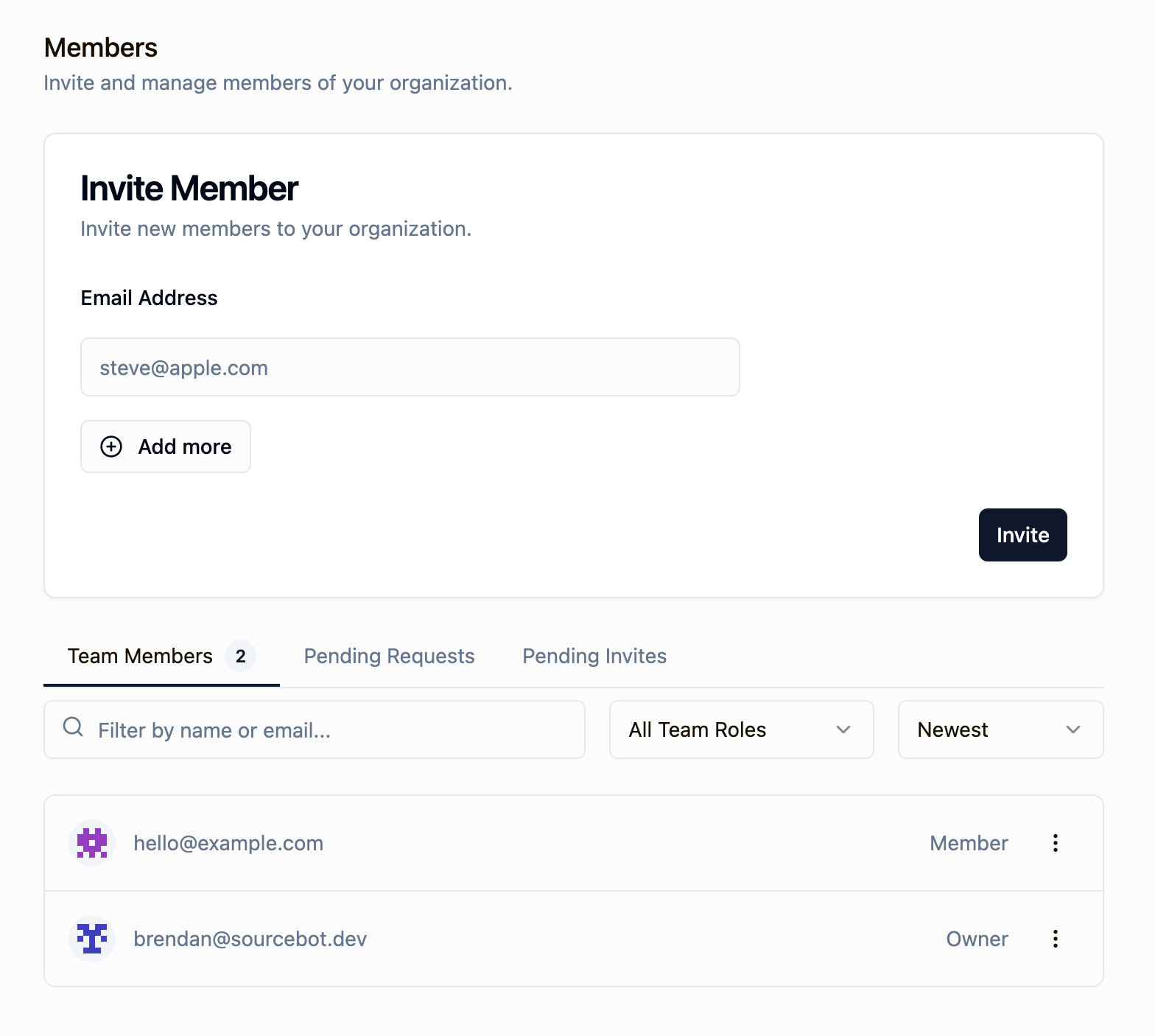
Owners can change the role of any user in the organization from **Settings → Members**. This lets you control who has administrative access by promoting trusted members to `Owner`, and scoping access back down to `Member` when administrative responsibilities change.
 ### Promoting a member to owner
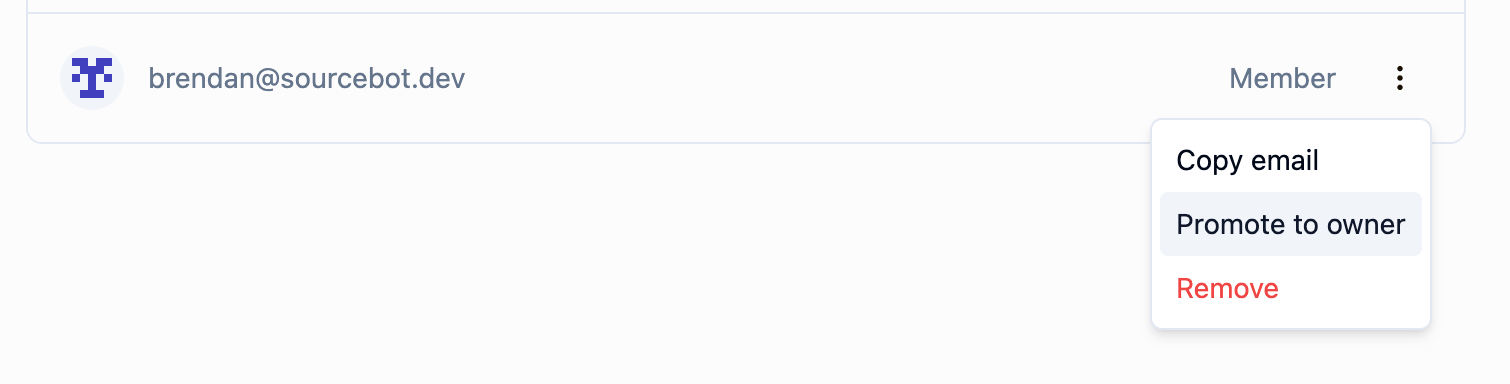
To promote a member, click the action menu (three dots) next to their name in the members list and select **Promote to owner**. The member will immediately gain full administrative access.
### Promoting a member to owner
To promote a member, click the action menu (three dots) next to their name in the members list and select **Promote to owner**. The member will immediately gain full administrative access.
 ### Demoting an owner to member
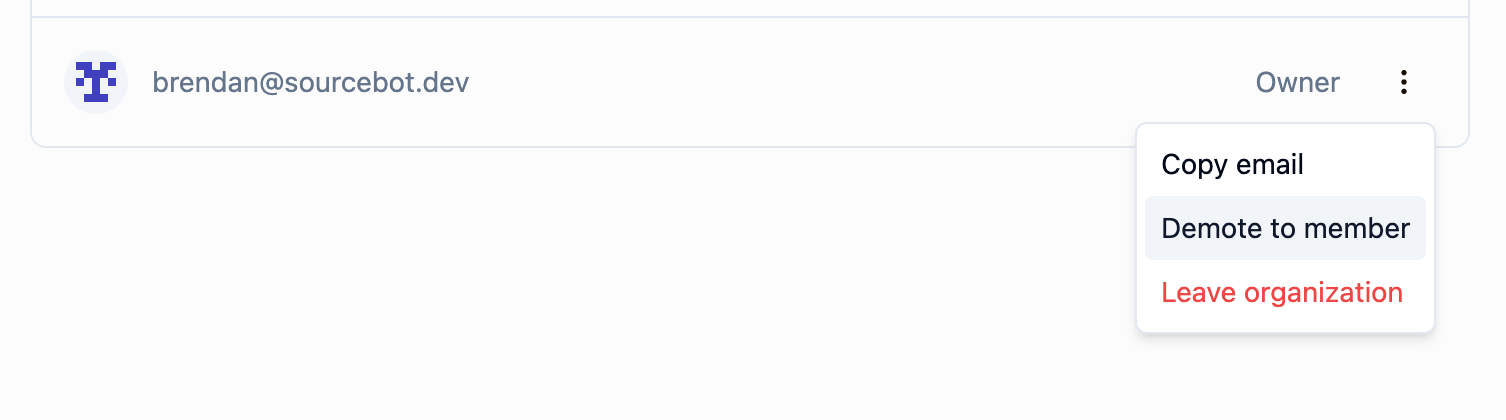
To demote an owner, click the action menu next to their name and select **Demote to member**. Owners can also demote themselves to step down from the role. The last remaining owner of an organization cannot be demoted - at least one owner must exist at all times.
### Demoting an owner to member
To demote an owner, click the action menu next to their name and select **Demote to member**. Owners can also demote themselves to step down from the role. The last remaining owner of an organization cannot be demoted - at least one owner must exist at all times.
 ### Leaving an organization as an owner
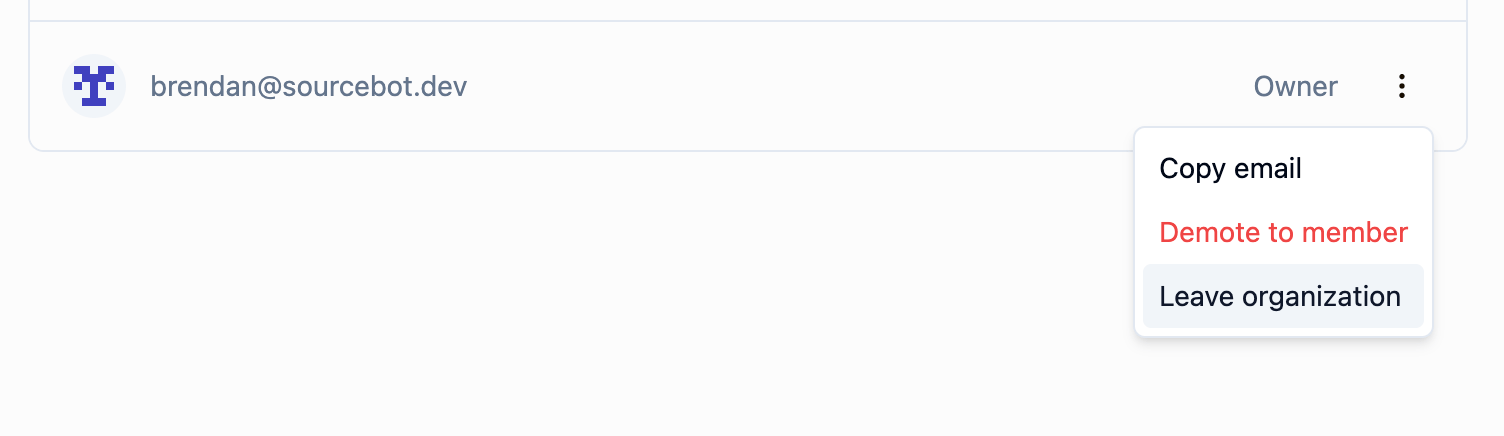
An owner can leave the organization as long as at least one other owner exists. If you are the last owner, you must promote another member to owner before leaving.
### Leaving an organization as an owner
An owner can leave the organization as long as at least one other owner exists. If you are the last owner, you must promote another member to owner before leaving.